Flash sales are a powerful way to create urgency, move selected inventory, and increase conversions during a limited time. With Discount Depot, you can create a complete flash sale rule and display it on your storefront without manually changing product prices one by one.
Simply create the rule, select the products and conditions, configure the sale period, and activate it. The flash sale will start according to your schedule and the selected products will be updated automatically.
What You Can Do with a Flash Sale Rule
1. Target the Right Products
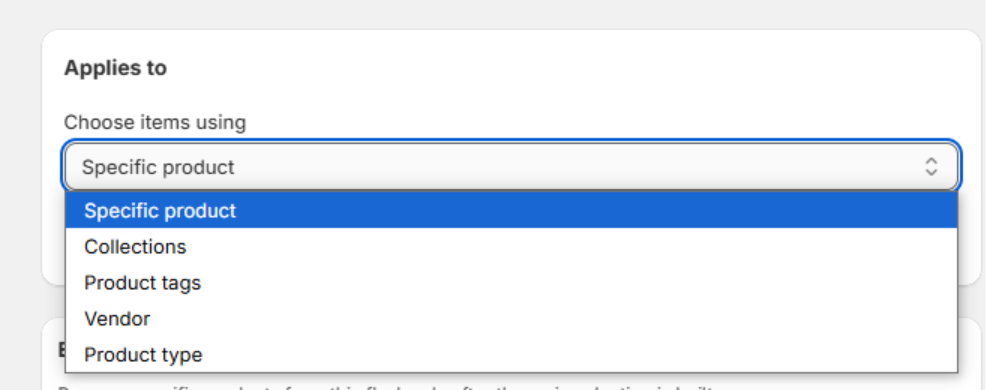
Create a flash sale for exactly the products you want to promote. Rules can be created using any of the following product criteria:
- Specific products
- Product collections
- Product tags
- Product vendors
- Product types
This gives you the flexibility to run a store-wide promotion, a collection-based campaign, or a focused sale for selected inventory.
2. Exclude Products from the Sale
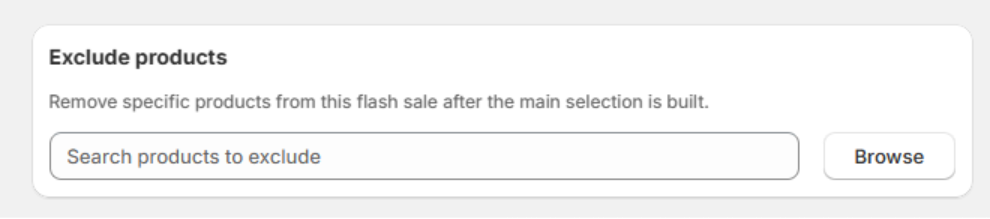
You can exclude specific products from the flash sale even when they match the main targeting conditions. This is useful when you want to protect margins, exclude new arrivals, or keep selected products at their regular price.
3. Assign Temporary Product Tags
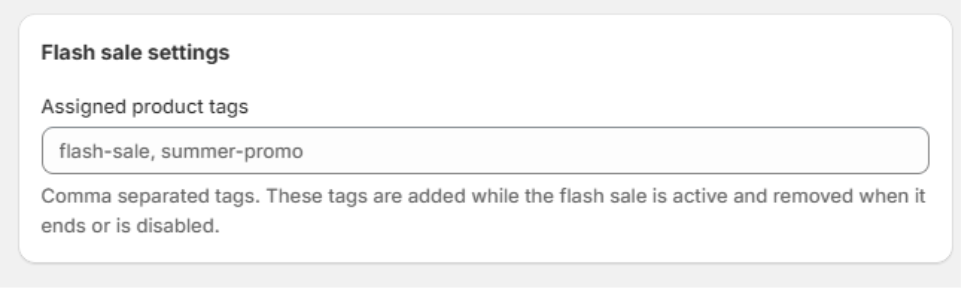
During the flash sale, Discount Depot can automatically assign tags to the eligible products. You can use these tags for storefront badges, featured collections, filters, or custom theme styling.
When the sale ends, the temporary tags are removed automatically, so no manual cleanup is required.
4. Display a Countdown Timer
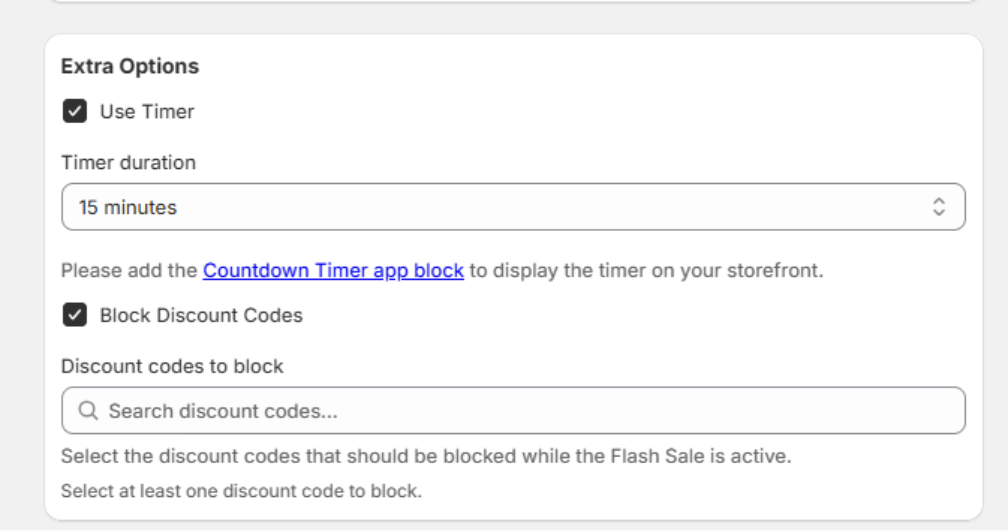
Add a countdown timer to make the sale deadline visible and create urgency. Select the timer duration and add the Countdown Timer app block to your theme so customers can see how much time is left.
A visible timer helps communicate that the offer is limited and encourages shoppers to complete their purchase before the sale ends.
5. Block Selected Discount Codes
You can select discount codes that should be blocked while the Flash Sale is active. This helps prevent unwanted discount stacking and protects your promotional margins.
Once the flash sale ends, the selected discount-code restrictions no longer apply.
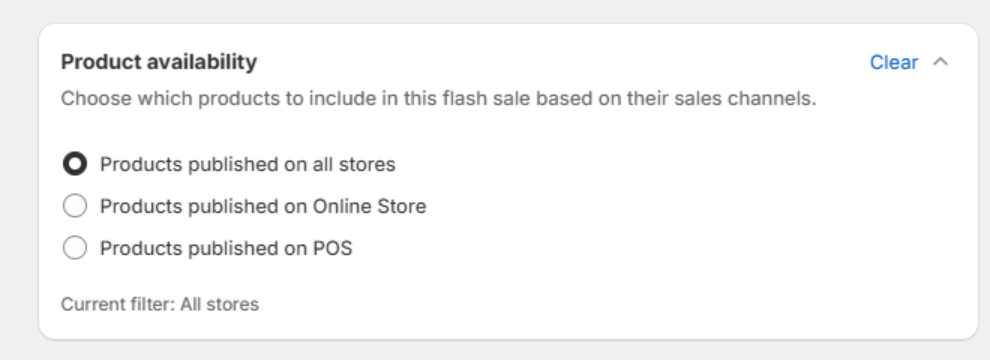
6. Apply Product Availability Conditions
Control the sale based on where products are available. For example, you can create conditions for products published on the Online Store, available on POS, or available through the sales channels relevant to your campaign.
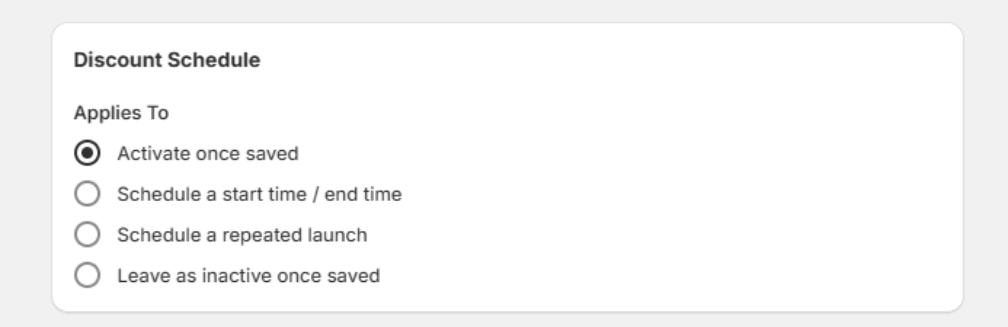
7. Start Immediately or Schedule the Sale
A flash sale can start immediately or at a scheduled date and time. You can also configure repeating schedules for recurring campaigns, such as a sale that repeats every weekend.
How to Create a Flash Sale in Discount Depot
1. Open Discount Depot: From your Shopify admin, open the Discount Depot app and choose the Flash Sale rule type.
2. Select the sale products: Choose specific products or target them by collection, tag, vendor, or product type.
3. Add exclusions: Exclude any products that should not receive the flash sale discount.
4. Configure sale settings: Set the discount, product availability conditions, and optional temporary product tags.
5. Enable additional controls: Turn on the countdown timer and select any discount codes that should be blocked during the sale.
6. Set the schedule: Start the rule immediately, schedule it for later, or configure a repeating schedule such as weekends.
7. Save and activate: Save the rule. The flash sale will appear on the storefront when its conditions and schedule are active.
Why Use Discount Depot for Flash Sales?
| Feature | Benefit |
| Flexible product targeting | Run focused campaigns without changing every product manually. |
| Automatic scheduling | Start and stop the promotion at the correct time. |
| Temporary tags | Support badges, filters, and sale collections without manual cleanup. |
| Countdown timer | Create urgency and make the sale deadline clear. |
| Discount-code blocking | Reduce unintended discount stacking during the promotion. |
| Recurring rules | Reuse the same campaign for weekends or other repeat schedules. |
Launch Your Next Flash Sale with Confidence
Discount Depot makes it easy to create a targeted and controlled Shopify flash sale from one place. You can choose the products, exclude selected items, assign temporary tags, display a countdown timer, block selected discount codes, and control exactly when the sale runs.
Create your Flash Sale rule, activate it, and let Discount Depot handle the storefront updates according to your selected conditions and schedule.